

Forwarding Calls and Away Greetings

Last updated: Jun 17, 2026
675
views

Call Forwarding
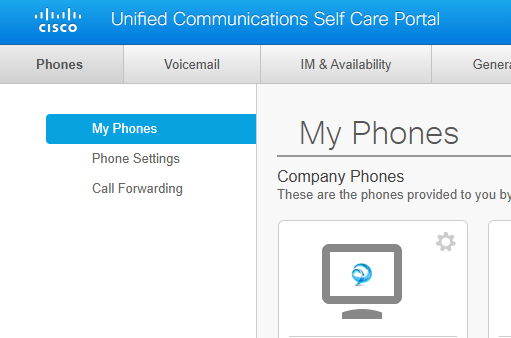
Call forwarding can be enabled on any cisco phones by logging in to the cisco selfcare portal with your employee username and password.
Once signed in, select Call Forwarding from the lefthand menu.
Tick the box marked Forward Calls to and select Add New Number in the dropdown menu.
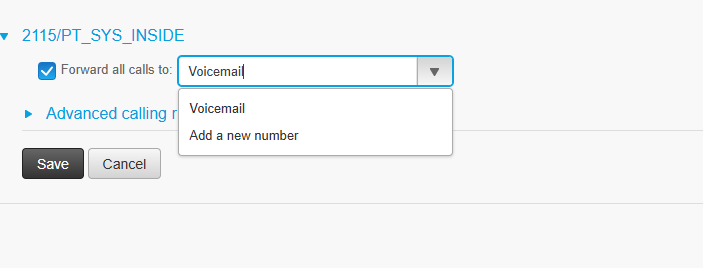
Type the number you wish for your calls to be forwarded to, and then select 'save'.
Voicemail settup
For the 7800 series phone, press the voicemail key, or if on the 3900, dial 5555, and log in with your voicemail PIN
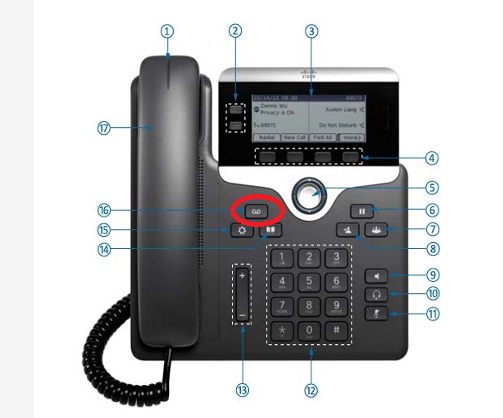
Once Logged in, press 4, and follow the given prompts to record a new voice mail message.
If a PIN has not been set up, the default pin will be 246800

